Every lead followed up. Every invoice paid.
ARC CRM keeps your enquiries, quotations, GST invoices and payments in one place, and tells you each morning who to call and who still owes you money.
- GST tax invoices with CGST, SGST or IGST worked out for you
- Send the PDF to your client on WhatsApp in one tap
- Your whole team, each with the access their role needs
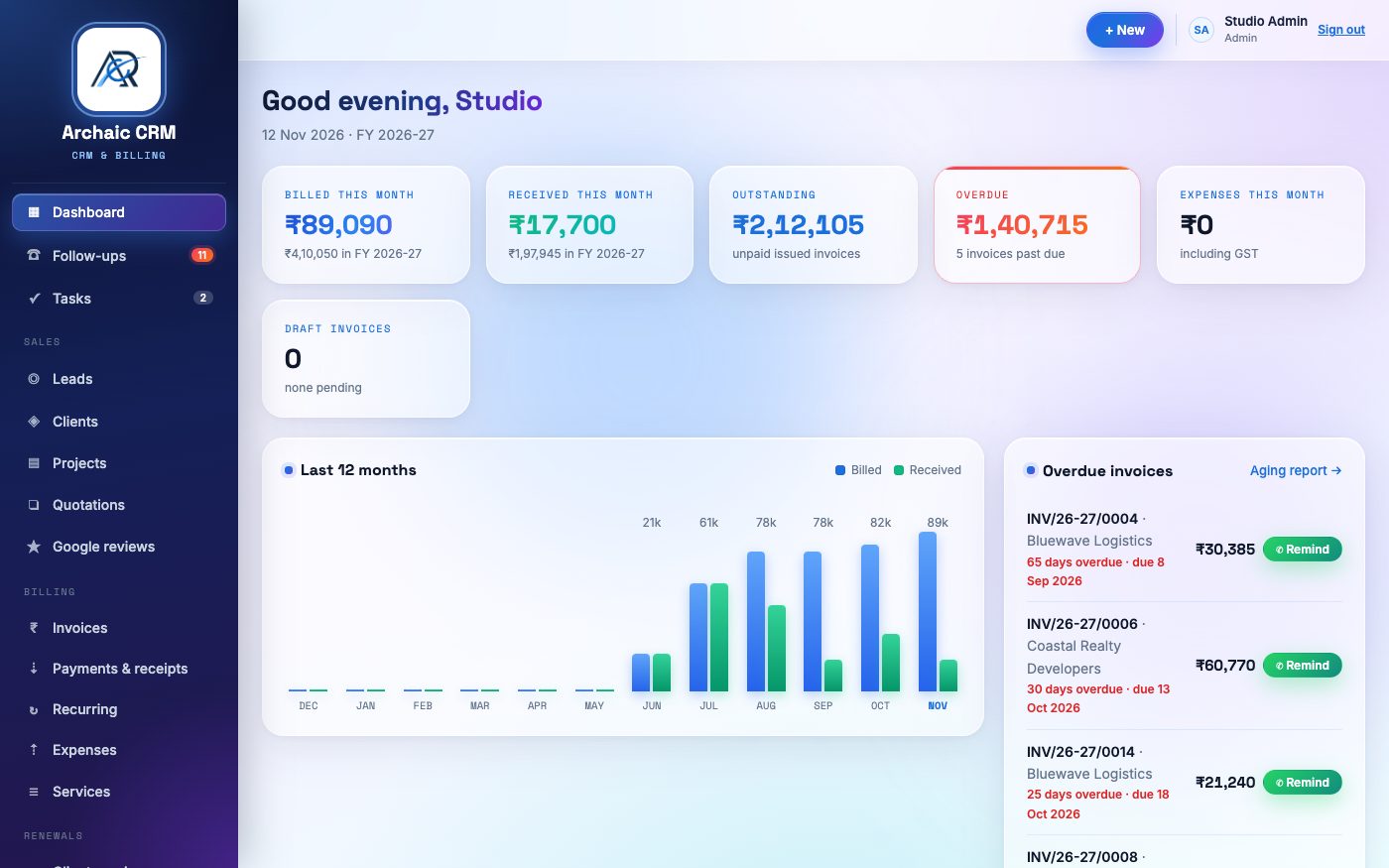
- Leads & pipeline
- Quotations
- GST invoices
- Receipts & TDS
- Recurring billing
- Expenses
- Reports
- WhatsApp sharing
Stop running the business from notebooks, Excel and chat history
One place for the whole journey: enquiry, quote, invoice, payment, renewal.
Never miss a follow-up
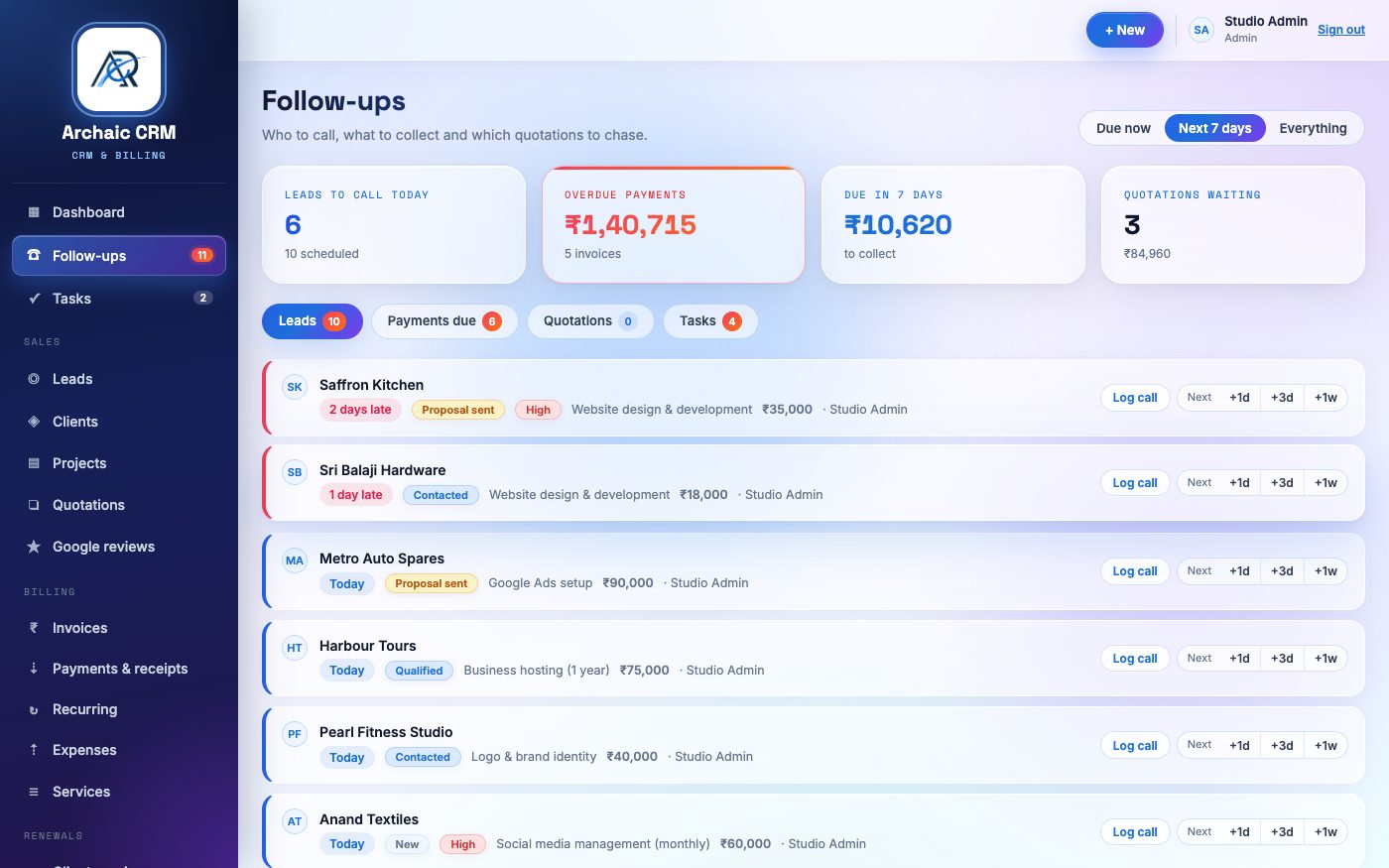
The Follow-ups tab lists every lead due for a call, every unpaid invoice and every quote waiting for a reply. Call, WhatsApp or snooze it from the same row.
GST done right
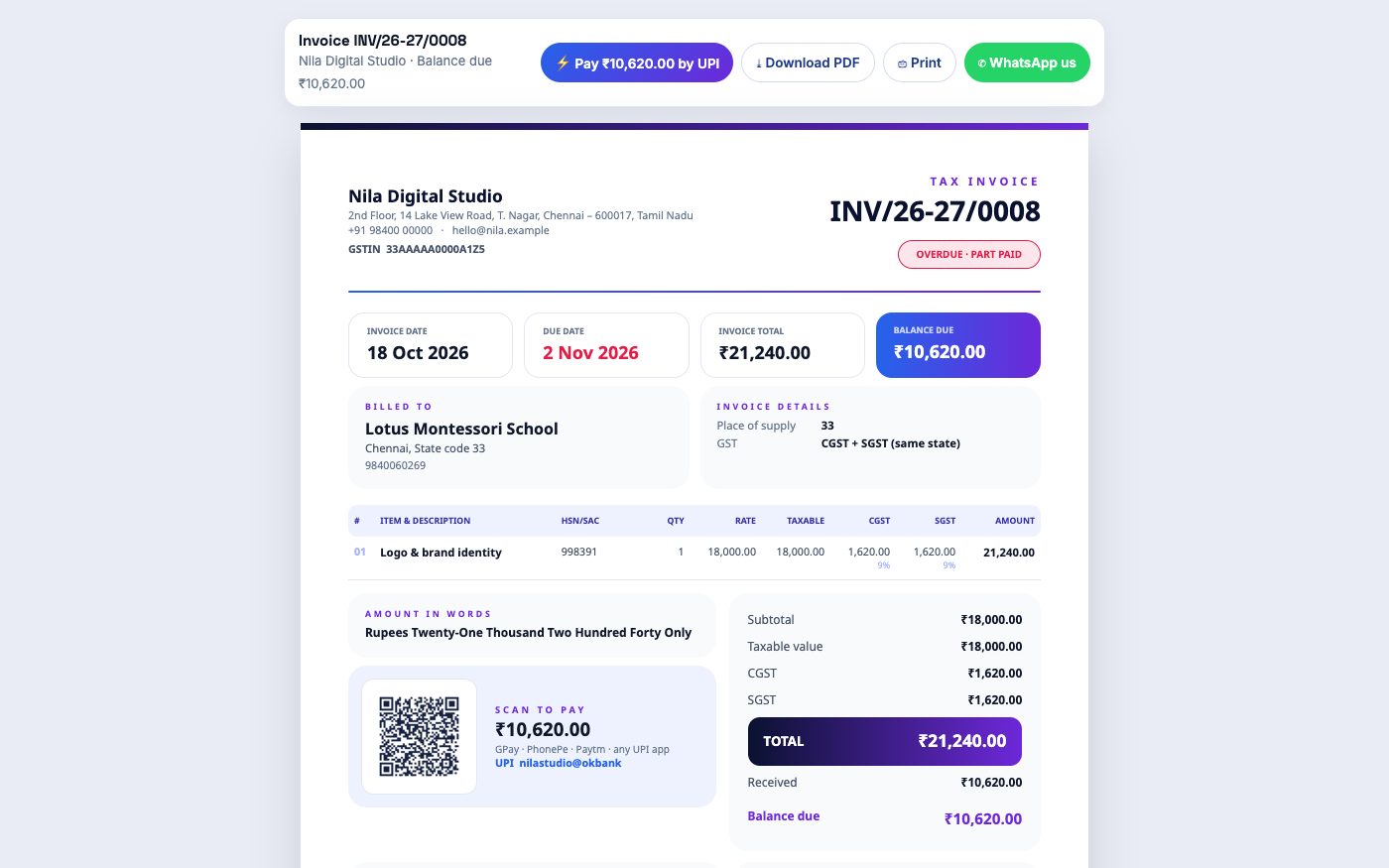
Same state: CGST + SGST. Other state: IGST. HSN/SAC codes, round-off, amount in words and a gapless invoice number that restarts every April.
Paid faster
Each invoice carries a UPI scan-to-pay QR for the balance. Send a reminder with the PDF link, then record the payment and the receipt is made for you.
A pipeline you can see
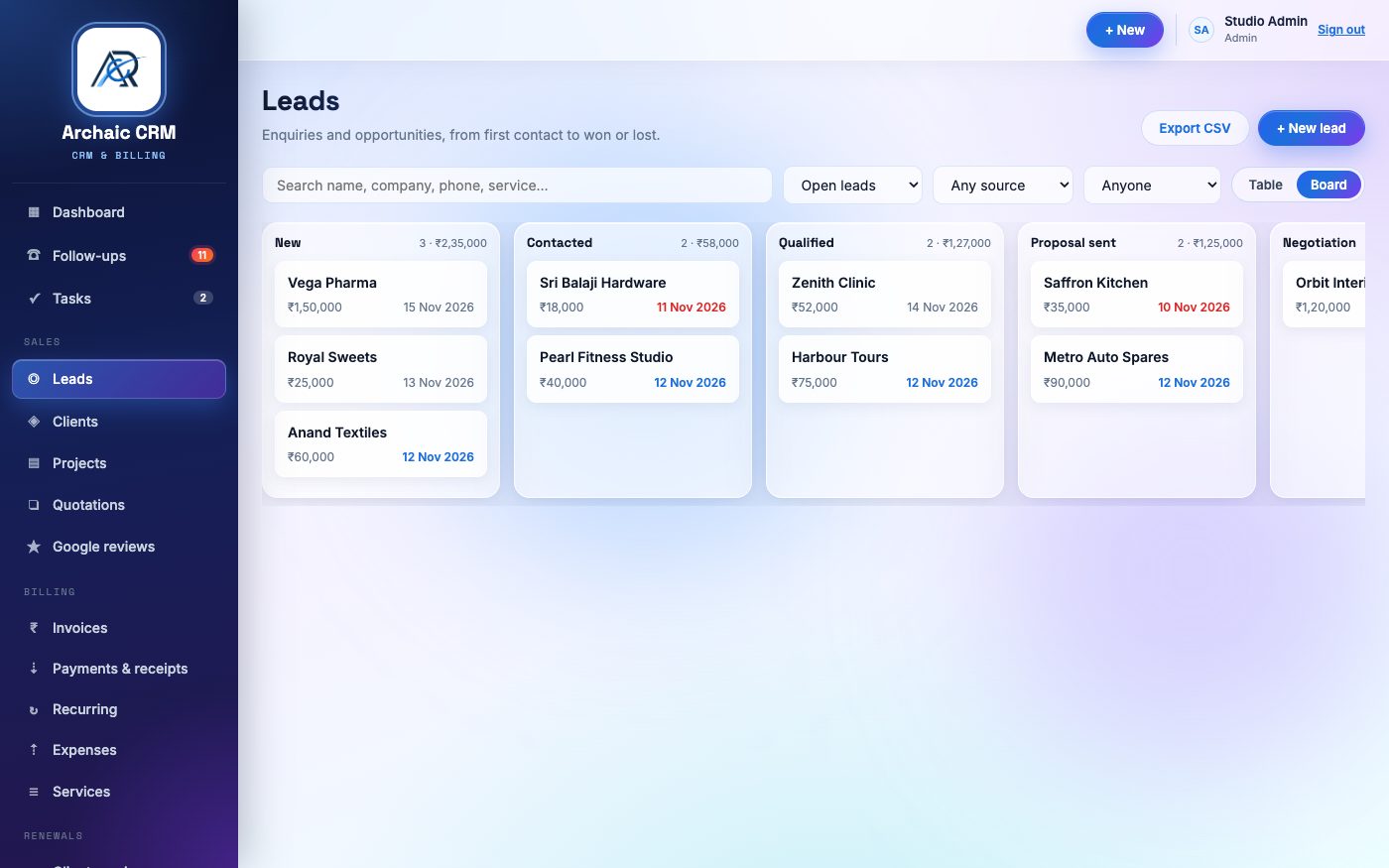
Drag leads across New, Contacted, Qualified, Proposal and Won. When a lead is won, convert it to a client in one click and quote straight away.
Recurring bills on time
AMC, hosting and retainers are invoiced monthly, quarterly or yearly on their own, and domain and hosting renewals are flagged before they expire.
Know your numbers
Sales by month, receivables aging, GST summary with the GSTR-1 register, profit and loss and top clients. Every report downloads as CSV for your CA.
From enquiry to order, without losing the thread
Every lead has an owner, a source, an expected value and the date of the next call. Notes, calls and WhatsApp chats build up on its timeline, so anyone in the team can pick it up.
- Board or table view, filtered by stage, owner or source
- Tasks with subtasks and due dates, assigned to people
- Quotations with validity, accepted or rejected, then converted to an invoice
A proper tax invoice in under a minute
Pick the client and the services from your price list. GST is split correctly for the client's state. If the client has already paid, enter the amount and the receipt is created with the invoice.
- Branded A4 PDFs: invoice, quotation, receipt and statement of account
- Part payments, TDS deducted by the client, UTR or cheque reference
- Tap Send: WhatsApp opens with the client's number, a message and a secure link to this page
- Issued invoices are locked behind an edit password, and every change is logged
Every morning, one list of who to call and who owes you
Leads due for a call, invoices past their due date, quotations waiting for a reply and your own tasks, in one tab with a count in the menu. Act on each one without opening anything else.
- Call or WhatsApp a lead, log what was said, or move it by a day, three days or a week
- Send a payment reminder with the PDF link, record the payment or mark it paid
- Overdue items are marked in red so nothing slips
Three steps to your first invoice
Create your account
Business name, your name, email and mobile. We check each new business before it goes live.
Set up your company
Address, GSTIN, bank and UPI details, invoice prefixes and your price list. These print on every document.
Add your team
Give each person a role: Admin, Accounts or Sales. Then add your first client and send your first invoice.
Questions we usually get
Who is ARC CRM for?
Service businesses, agencies, consultants, traders and small teams in India who quote, bill with GST and need to chase payments and follow-ups. It runs in the browser on a computer or phone.
Can my business see anyone else's data?
No. Every business has its own clients, invoices, numbering, users and settings, and the server checks the business on every request. See Security for the details.
Does it handle GST for clients in other states?
Yes. Set your state and GSTIN once. For each client the place of supply decides between CGST + SGST and IGST. Non-GST bills are supported too, and stay out of the GST report.
How do I send invoices to clients?
Tap Send on any invoice, quotation or receipt. WhatsApp opens with the client's number, a ready message and a link to the document. You can also download the PDF and attach it anywhere.
How many users can I add?
Your admin adds as many team members as you need, each as Admin, Accounts (billing, expenses, reports) or Sales (leads, clients, quotes, tasks).
Why does my account need approval?
We look at every new sign-up before it goes live, to keep out fake accounts. Once approved, you sign in with the email and password you chose.
What does it cost?
Write to info@archaicinfotech.com or call us and we'll share the current plans for your team size.
Try ARC CRM with your own business
Create your account in a couple of minutes. As soon as we approve it, you can send your first invoice.